Ultimate EMF Detector Real Pro
MRE ProgrammingEntertainment
4.3344.00 Reviews
- Version
- 3.0
- Installs
- 50.00K
- Age Rating
- Everyone
Screenshots
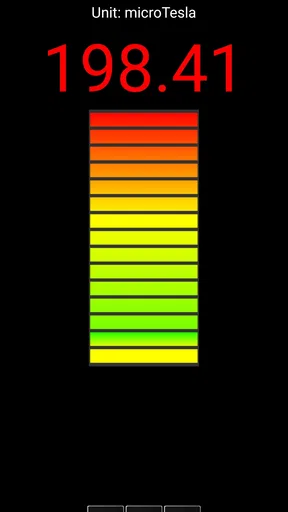
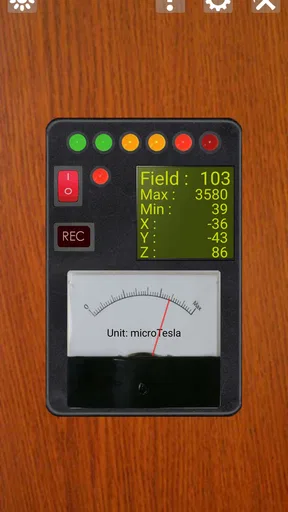
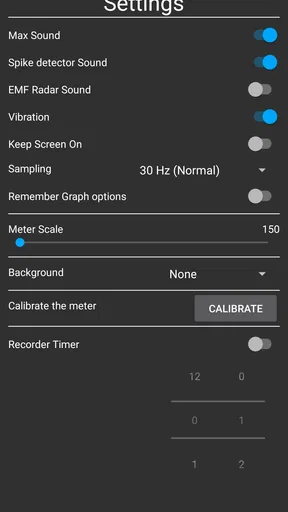
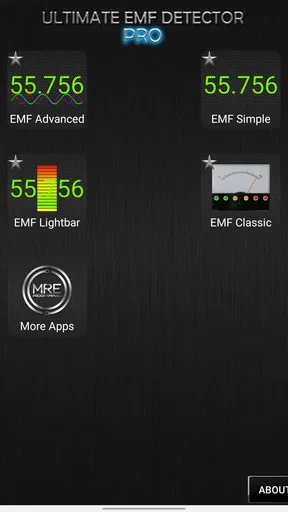
Our Review of Ultimate EMF Detector Real Pro
 Analysis by Appyee
During the first few days, Ultimate EMF Detector Real Pro can turn ordinary rooms into a small experiment. I found the appeal in moving the phone near familiar objects and watching the graph respond: a charger, an appliance, or a cluster of electronics becomes something to investigate rather than background furniture. That immediate curiosity is the app’s strongest opening, especially if you enjoy learning by trying things out.
Why the first week feels engaging
It is easy to imagine a simple routine: check one spot, move the phone, and see whether the display changes. The graph and indicators give the experience more shape than a plain number would, while the adjustable settings invite a little experimentation. I would begin with a few known objects in the same room, rather than treating every new reading as a discovery. That makes it easier to notice how position and movement affect what appears on screen.
The app is an entertainment tool, but it can also prompt useful questions about electromagnetic fields and how a phone’s sensor responds nearby. A family member or curious friend can take turns testing the same object, which makes the first session feel more like a shared activity than a technical chore. The fun comes from comparing observations, not from assuming that a changing display proves anything alarming.
From novelty to a repeatable habit
The harder question is whether there is a reason to open it after the first round of exploration. I think it has recurring value for someone who enjoys occasional hands-on demonstrations: revisit a familiar room, compare a few locations, or use the graph to make a casual observation easier to follow. Logging data may help an enthusiast keep notes from separate sessions, though those notes are most meaningful when the test conditions stay similar.
For a practical routine, pick a small set of locations and keep the phone’s position as consistent as you can. Move it slowly, pause before interpreting a change, and repeat the pass once. This is a useful discipline because a phone-based reading can be affected by how the device is held and where it is placed. A repeatable method can make the activity more informative, but it does not turn a smartphone into laboratory equipment.
A realistic use case is a curious evening at home: I might check around a desk with several devices, then compare that area with a less crowded corner. The point would be to observe differences and learn how the app behaves, not to diagnose a health or safety issue. For concerns that require dependable measurements, I would use suitable professional equipment or ask a qualified expert instead.
How it works in everyday use
I approach everyday use as a series of small, repeatable checks rather than a search for a definitive answer. Keeping the phone’s position steady and changing only one part of a test helps me make sense of the graph without overreading it. That practical routine also makes it easier to see whether the app’s extra controls and saved observations add value beyond the initial novelty.
Setup, readings, and the value of calibration
The app comes from MRE Programming and is listed in the entertainment category. It costs $1.49, has an Everyone age rating, and runs on Android starting with version 4.1. Its current version is 3.0. Those details make it a modestly priced, older Android app rather than a general-purpose measurement service, so I would consider both the phone it will run on and the kind of results I actually need before buying.
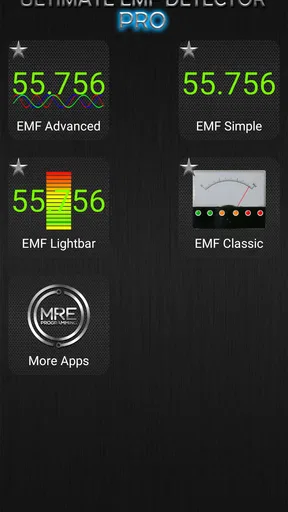
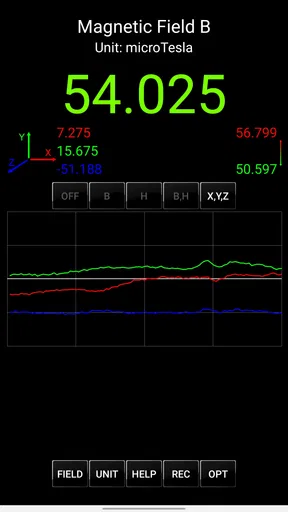
First things first, getting the app up and running is a breeze. Head over to the app store, hit download, and you're good to go. Once installed, you're greeted with an intuitive interface that’s simple yet effective. The main screen gives you a bunch of readings, and while it might look a tad overwhelming at first, you quickly get the hang of it.
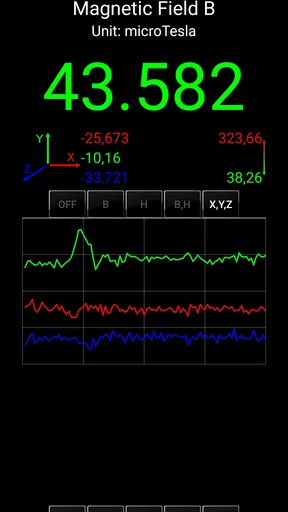
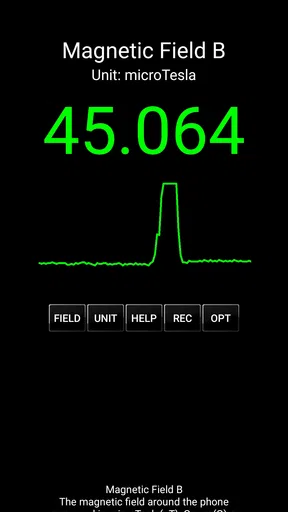
The app is packed with features. The real-time graph is a standout, providing a visual representation of your surroundings’ EMF levels. It's like watching a seismograph during an earthquake, but without the danger!
Settings that reward a little patience
What really surprised me is the range of settings you can tweak. Whether you're interested in specific frequency ranges or want to adjust the sensitivity, it caters to both the casual user and the enthusiast. The app also lets you log data, which is pretty neat if you're doing some serious fieldwork.
Calibration is another feature that’s worth mentioning. It’s crucial for accurate readings, and thankfully, the app guides you through the process in a straightforward manner. Plus, it supports different units of measurement, so you can switch between microTesla and milliGauss, depending on your preference.
There is a trade-off here: more settings can make the first session feel less immediate than a simple detector with one prominent reading. I would resist changing several controls at once. First learn what the default display does in a few familiar places, then adjust one setting and repeat the same small test. That approach makes it easier to understand whether a changed graph reflects the adjustment, a different position, or simply normal variation.
Where a phone detector fits—and where it does not
So, how does it perform? I took it around the house and was amazed at the readings. From my microwave to my smartphone charger, you'd be surprised at what's emitting EMF. It's a bit like embarking on a treasure hunt, with the app as your map.
Compared with a basic EMF app that centers on a single readout, this one is more appealing if you want a graph, indicators, settings, and a way to log observations. Compared with a dedicated meter, the phone is convenient because it is already in your hand, but that convenience should not be mistaken for equivalent measurement reliability. I would choose this app for curiosity and informal comparisons; for inspections, troubleshooting, or decisions that depend on precise readings, I would choose purpose-built equipment.
One practical tip is to treat a spike as a cue to repeat the test, not as a conclusion. Hold the phone in a similar orientation, move it back and forth slowly, and check whether the effect appears again. If you are comparing appliances, test them one at a time and avoid changing the app’s settings between passes. That small bit of consistency is more valuable than chasing the largest number on the screen.
Ghost-hunting fun without overreading the graph
For those into ghost hunting, the app could be your new best friend. While I didn’t bump into any spirits, I did get some curious spikes around old electronics. Coincidence? Who knows! But it's definitely fun to speculate.
I would keep that activity firmly in the entertainment column. An EMF reading cannot establish that a place is haunted, and a graph that jumps near electronics is not evidence of anything supernatural. For a group outing, the app can still be a conversation starter: agree on a few locations, take turns holding the phone, and compare what happens without presenting the results as proof. That makes the experience enjoyable while keeping expectations sensible.
Who will keep using it
The app has an average rating of 4.3 from around two thousand ratings, with roughly 344 written reviews and over fifty thousand installs. That suggests there is an audience for this kind of exploration, but popularity alone does not answer whether it suits your needs. I would recommend it to people who like tinkering with settings, visualizing changes, and revisiting informal tests. Someone who only wants a quick, uncomplicated answer may find a simpler tool easier to live with.
It is also a poor fit if you need dependable safety guidance, formal documentation, or a professional assessment. In those situations, a phone app’s convenience is not enough. If you are simply curious about what happens near common electronics, however, its graph and logging give you more to explore than a novelty screen that offers only a momentary reaction.
What may wear thin over time
The main source of fatigue is that the same household objects can produce the same kind of investigation again and again. Once the novelty of moving the phone around fades, continued use depends on whether you enjoy keeping informal comparisons or have a fresh reason to explore. The app is not something I would expect everyone to open daily; its lasting appeal is occasional and interest-driven.
There is also a temptation to read too much into a changing display. A visually striking graph can feel authoritative, but the result is still tied to a phone, its sensor, calibration, settings, and placement. The best long-term habit is to stay curious while remaining cautious: record observations if useful, repeat tests, and avoid treating the display as a diagnosis or a measurement certificate.
The Final Verdict
Overall, the Ultimate EMF Detector Real Pro is a fantastic tool for anyone curious about the invisible waves around us. It's easy to use, packed with features, and offers a fascinating glimpse into a world we often overlook.
Whether you're a professional or just someone who loves exploring new tech, this app is worth checking out. Just remember, while it's fun to see those numbers jump, always use it responsibly and understand that it’s for entertainment and educational purposes—not a replacement for professional equipment.
So, give it a whirl and see what mysteries you can uncover in your own surroundings!
My lasting verdict is that it earns space on a phone only if you enjoy returning to small experiments. The graph, adjustable settings, calibration, and logging give curious users reasons to explore beyond a one-minute novelty, but the activity remains informal and can become repetitive. For a low-cost way to investigate familiar surroundings for fun, I can see the appeal; for precise answers or a daily utility, I would look elsewhere.
Verdict
Strengths of Ultimate EMF Detector Real Pro
- Accurate EMF readings for various environments.
- User-friendly interface with intuitive controls.
- Customizable sensitivity settings for precision.
- Includes both magnetic and electric field detection.
- Real-time data logging for detailed analysis.
Limitations of Ultimate EMF Detector Real Pro
- Limited to devices with magnetometer sensors.
- Battery consumption is relatively high.
- No offline mode available for remote areas.
- Ads may interrupt use in the free version.
- Advanced features require in-app purchases.
Other Releases by MRE Programming
View All
Ultimate Ghost Detector Real
Entertainment4.1
Similar Picks in This Category
View All
Google Play Games
Google LLC3.9

Netflix
Netflix, Inc.4.8

YouTube Kids
Google LLC4.2

Disney+
Disney4.4

Prime Video
Amazon Mobile LLC4.7

Steam
Valve Corporation3.2
Frequently Asked Questions
What is the main purpose of the Ultimate EMF Detector Real Pro app?
The Ultimate EMF Detector Real Pro app is designed to measure electromagnetic fields (EMFs) using the sensors in your smartphone. It is particularly useful for detecting EMF radiation from electronic devices and different environmental sources, making it a valuable tool for those interested in reducing exposure to EMFs in their surroundings.
How accurate is the Ultimate EMF Detector Real Pro in measuring EMFs?
The accuracy of the app largely depends on the quality and sensitivity of your smartphone's sensors. While it provides a convenient way to detect EMFs, it may not be as precise as professional-grade equipment. However, for general awareness and personal use, it offers a reasonable level of accuracy.
Is the Ultimate EMF Detector Real Pro app user-friendly for beginners?
Yes, the app is designed with an intuitive interface that makes it accessible for users of all skill levels. It provides clear readings and easy-to-understand displays, allowing beginners to quickly grasp how to measure and interpret EMF levels without needing extensive technical knowledge.
Does the Ultimate EMF Detector Real Pro offer any additional features?
The app includes several additional features such as sound alerts for threshold levels, graph displays for monitoring changes over time, and customizable settings for sensitivity. These extra tools enhance the user experience and allow for more detailed analysis of EMF levels in various environments.
What are the pros and cons of using the Ultimate EMF Detector Real Pro?
Pros of the app include its ease of use, portability, and the ability to provide real-time EMF readings. However, cons might involve its reliance on smartphone sensors, which can affect accuracy, and the need for a learning curve to understand EMF data interpretation fully. It’s a handy tool for personal use, but not a replacement for professional equipment.
